Online Card Payment Systems: Features, Benefits, and Setup
Compare card payment systems, key features, fees, providers, and setup steps.

What an Online Card Payment System Does
An online card payment system lets a business accept card payments through a website, app, or online invoice. It sends payment details through a secure payment gateway. The system checks the payment, seeks approval, and sends the result to the buyer and seller.
This process matters because most online buyers expect a quick card checkout. A good system can accept payments at any hour. It can also support shops, service firms, schools, and subscription businesses. Online card payment processing turns a sale into funds in the business bank account.
The system has several parts. The checkout page collects the payment details. The gateway sends data to the card network. The payment service provider handles approval, settlement, refunds, and reports. These parts often sit inside one online card payment solution.
- Checkout: The buyer enters card or wallet details.
- Gateway: The gateway sends the request for approval.
- Risk checks: The system checks for signs of fraud.
- Settlement: Approved funds move to the business bank account.
The buyer may see one smooth step. Many checks run in the background. That hidden work protects both sides and keeps the checkout moving.
Core Features to Look For
Security should lead your choice of online card payment services. Look for encryption, token storage, and strong fraud checks. Encryption changes payment data into a form that outsiders cannot read. Token storage replaces card details with a safe code.
PCI compliance means meeting card industry rules for payment data. The PCI Security Standards Council's PCI DSS guidance explains the main controls. These rules cover data access, network safety, testing, and staff practices.
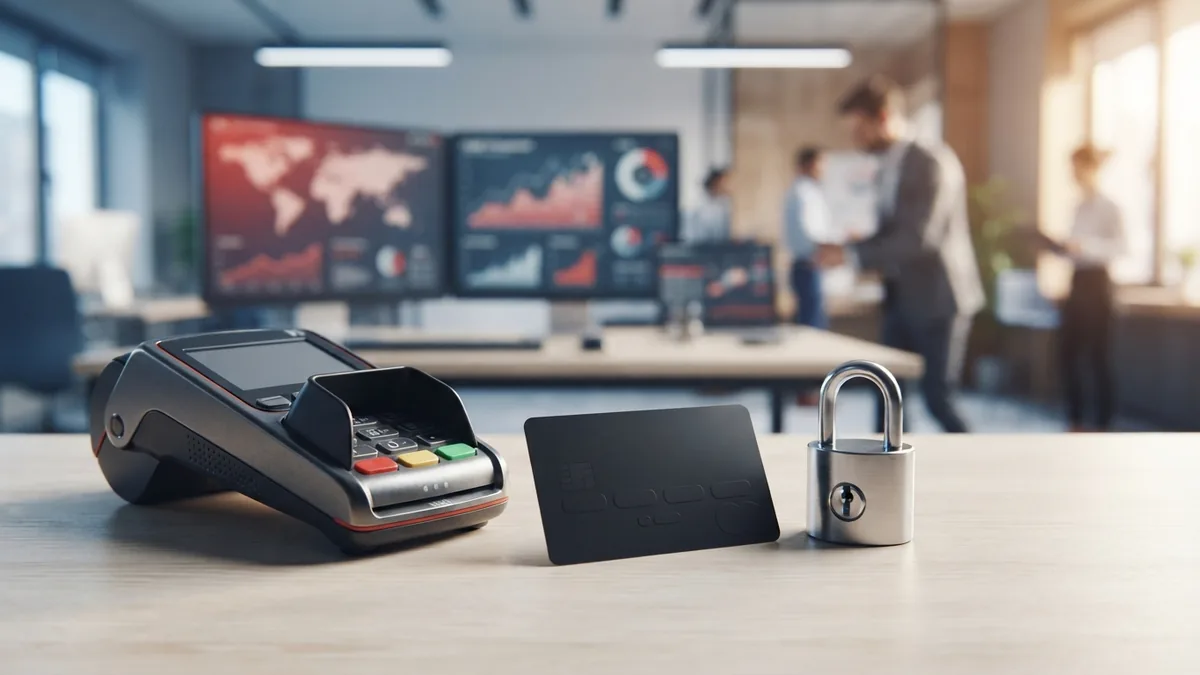
Fraud protection can block risky payments before they cause a loss. Useful tools include address checks, spending limits, and device checks. Some providers also use risk scores based on many payment signals. Good tools should let you review a blocked payment.
Ease of use matters after launch. Seek a clear dashboard, simple refunds, and useful sales reports. An application programming interface, or API, helps a developer link payments to your site. Ready-made plugins can help smaller firms launch with less code.
- Hosted checkout pages for fast setup
- Payment links for email and social sales
- Saved payment methods for repeat buyers
- Recurring billing for memberships and plans
- Refunds, disputes, and payout reports
Cards, Wallets, and Other Payment Types
Most online card payment solutions accept Visa and Mastercard. Many also accept American Express and regional card brands. Credit cards can suit larger purchases. Debit cards often suit everyday orders and local shoppers.
Digital wallets add another fast choice. Apple Pay, Google Pay, and PayPal can store a buyer's payment method. The buyer can then approve a payment without typing card details. This can help on small phone screens.

Some firms need more than one payment type. A global shop may need local cards and local wallets. A software firm may need recurring billing. A wholesaler may need invoices and bank payments. Match the payment mix to your buyers.
| Payment type | Best fit | Watch for |
|---|---|---|
| Credit card | Large orders and broad online sales | Fees and chargebacks |
| Debit card | Daily purchases and local buyers | Lower buyer funds |
| Digital wallet | Fast mobile checkout | Provider and device limits |
| Recurring payment | Subscriptions and memberships | Failed renewals |
Show only useful options at checkout. Too many choices can slow the buyer. Start with cards and one major wallet. Add more options when sales data shows a clear need.
Why Businesses Use Online Payment Systems
A smooth checkout can help more visitors finish a purchase. Fewer form fields mean less work for the buyer. Wallets can cut typing even further. Small gains matter when hundreds of buyers visit each week.
Payment choice can also build trust. Buyers know familiar card brands and wallets. Clear refund terms add more comfort. A secure payment page should look like a natural part of your site.

Online payments can improve cash flow too. Many providers send funds to your bank on a set schedule. You can track sales, refunds, and fees in one view. Faster records can help you plan stock and staff costs.
These systems also cut manual work. A payment can trigger an order record and a receipt. A subscription can renew without a staff member chasing each buyer. Staff can then focus on support and sales.
- Reach buyers beyond local shop hours
- Offer faster checkout on phones
- Reduce manual payment entry
- Track sales and refunds in one dashboard
- Support plans, invoices, and repeat orders
Benefits depend on the full setup. A slow site can still lose sales. High fees can still hurt margins. Measure completed orders, failed payments, refunds, and payout times.
How to Choose a Payment Provider
Start with the fee model. Providers may charge a fee per payment, a fixed amount, or both. Some plans add monthly fees. Compare the full cost for your average order size.
Next, check how the provider handles growth. A small shop may need payment links today. It may need an API, team roles, and recurring billing later. Pick a service that can add these tools without a full rebuild.

Reliability is vital during busy sales periods. Ask about uptime, payout timing, and service status updates. Check how the provider handles failed payments and card disputes. A clear help team can save hours during a sales rush.
Review the provider's support for your business model. A shop may need a plug-in for its store platform. A charity may need invoices and donor records. A global seller may need local currency and tax tools.
- List your payment types and sales regions
- Estimate fees at your current order volume
- Check payout times and reserve rules
- Test refunds, disputes, and failed payments
- Confirm support hours and contact methods
Do not judge price alone. A cheap plan can cost more if it lowers approval rates. A higher fee may pay off if it adds useful tools and stronger support.
Stripe, PayPal, and Square Compared
Stripe suits firms that want deep control over checkout. It offers strong developer tools, subscriptions, invoices, and global payment options. It fits online shops, software firms, and platforms with custom needs. Developers should review Stripe's payment documentation before they build.
PayPal suits firms that want a known wallet and quick buyer sign-in. It can work well for small shops, freelancers, and sellers on many channels. Some buyers may trust PayPal more than a new store. Fees, payout terms, and checkout control need close review.
Square suits firms that sell both online and in person. Its tools link online orders with shop sales and stock records. It can fit cafés, salons, market sellers, and small stores. Its value often comes from one shared sales system.
| Provider | Main strength | Good fit |
|---|---|---|
| Stripe | Custom tools and online billing | Software firms and growing online shops |
| PayPal | Known wallet and quick setup | Small sellers and mixed sales channels |
| Square | Online and in-person sales tools | Retail, food, and local services |
These are broad fit guides, not fixed rules. Check current prices in your market before choosing. Also test the checkout on a phone. The best provider is the one that fits your buyers and workflow.
How to Add Online Card Payments
First, map the payment path. List your site, shop platform, order system, tax tool, and bank account. Note where orders start and where payment status must appear. This map shows the links you need.
- Choose a provider: Compare fees, payment types, payout times, and support.
- Create an account: Submit business details and connect your bank account.
- Pick the checkout: Use a hosted page, plug-in, payment link, or custom API.
- Set payment rules: Add prices, taxes, receipts, refunds, and shipping steps.
- Run test payments: Test success, decline, refund, and repeat billing cases.
- Go live: Turn on live payments and watch the first orders closely.
Keep payment data out of your own systems when possible. A hosted checkout can reduce the work needed to meet card rules. Ask a developer to review webhooks, which are automatic payment updates. They help your order system react to payment changes.
Test the full buyer journey before launch. Place an order on a phone and a desktop. Check the receipt, stock count, email, and bank payout. Fix every broken step before sending paid traffic.
Review results after launch. Watch failed payments, refunds, disputes, and support requests. Check fees against your sales reports each month. Small fixes can lift trust and keep cash moving.
Frequently asked questions
- What is an online card payment system?
- An online card payment system lets a business accept card payments through a website or app. It checks the payment, seeks approval, and sends funds to the business.
- How much does online card payment processing cost?
- The main costs include a fee per payment, a fixed fee, and possible monthly charges. Compare the full cost for your average order size.
- Which online payment provider is best for a small business?
- Stripe suits custom online builds and software firms. PayPal suits sellers who want a known wallet. Square suits firms with both online and in-person sales.
- Can an online payment system accept debit cards and digital wallets?
- Yes. Most providers accept major credit cards, debit cards, and digital wallets. Some also support recurring billing, invoices, and local payment types.
- How can businesses make online card payments safer?
- Use encryption, token storage, fraud checks, and a hosted checkout. You must also follow the card industry's data safety rules.
- How long does it take to set up online card payments?
- A basic setup can take one day with a plug-in or payment link. A custom API build may take weeks, based on your site and order tools.
Related reading

Pennsylvania Business Tax: What Owners Must File
Understand Pennsylvania business tax registration, rates, filing, and common errors.

How to Compare Online Payment Providers for Your Business
Compare payment providers by fees, tools, security, and fit.

How to Get a Tax ID Number for a New Business
Get your EIN, keep it safe, and handle the next tax steps with confidence.